
Customer
Under Settings, then Customer, you will find some settings that can be changed to allow the default set-up of this particular customer.
Customer Setting
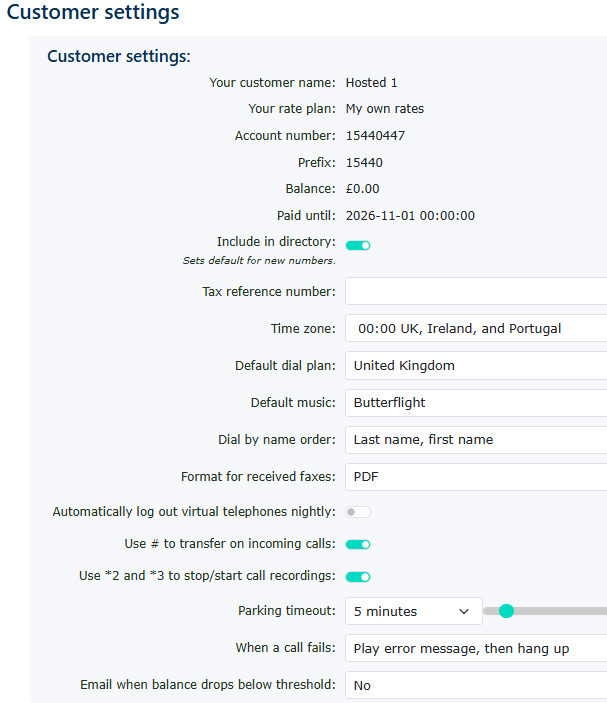
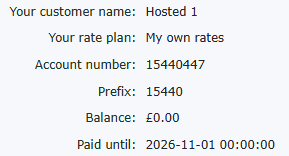
| These settings are fixed and are entered by your provider. Please contact them for any changes. |
|
|
|
Enabling this feature allows your numbers to be viewed by others on the system in the system directory |
| If you would like to add your tax reference, you can add it here. |
|
|
|
Set your time zone here; the default is GMT |
| Change your dial plan here. If you set another country, then any numbers dialled will work as if you are locally dialling in the chosen country. You will need to dial 0044 for any calls to the UK. The default is the UK dial plan. |
|
|
|
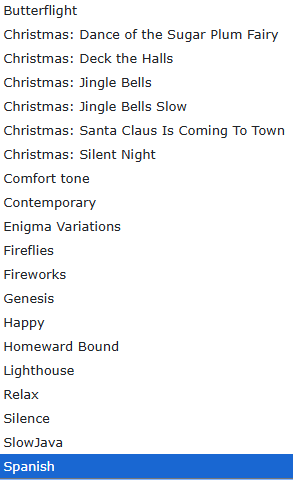
There are many free music on hold options to choose from. These include the following like Christmas music and some other liecense free music tunes.
|
| This lets you choose whether the dial-by-name feature uses last name or first name as the order in which people can dial the name on the handset. |
|
|
|
Switch from PDF ot a TIFF format file for any faxes you may receive. |
| If automatic log out is enabled. This will automatically remove any handsets that are logged in on top of any other handsets. This includes hot desk extensions.. Normally happens at midnight. |
|
|
|
If you are using any handsets that don't offer a transfer button. This feature allows you to use the # key to transfer a call. Ideal for old handsets using an ATA (analogue telephone adaptor) |
| Enables switching the stop/start call recording feature on or off. Ideal if you don't want your extensions to stop the call recording whilst on a call. But we recommend keeping this enabled, as it lets you stop the call recording when you are taking a credit card payment. |
|
|
|
When using the system's parking facility. This allows you to change how long the call can be parked before it is returned to the person who placed it. It can be changed from 1 to 60 minutes. The default is set to 5 minutes.
|
| You can choose to play a message before hanging up the call, or simply hang up straight away if the call fails. |
|
|
|
Only works when a customer is using a prepay balance. If enabled, you can set your threshold before an email is sent to inform you of a low balance.
|














Billing Address
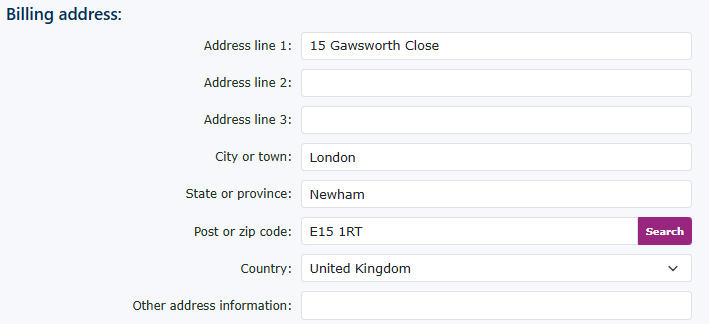
Complete the billing address; this will be used to appear on the invoice.
Contact Information
Complete the contact information. The email address will be used for billing purposes.