
Alerts - Get Notified
Alerts can be used for several vital notifications and are one of the best ways to monitor expensive and lengthy calls. Here are a couple of examples of lengthy and costly call alerts.
Alerts
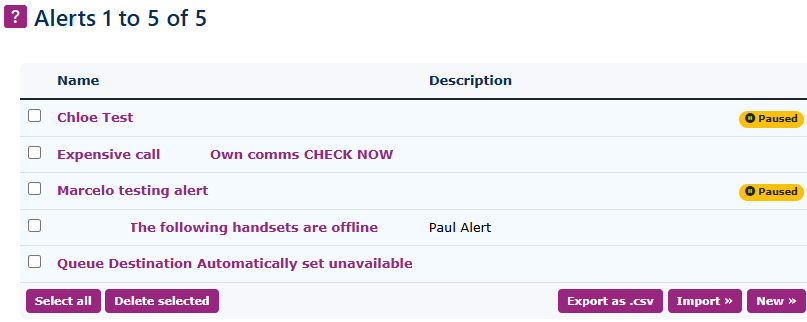
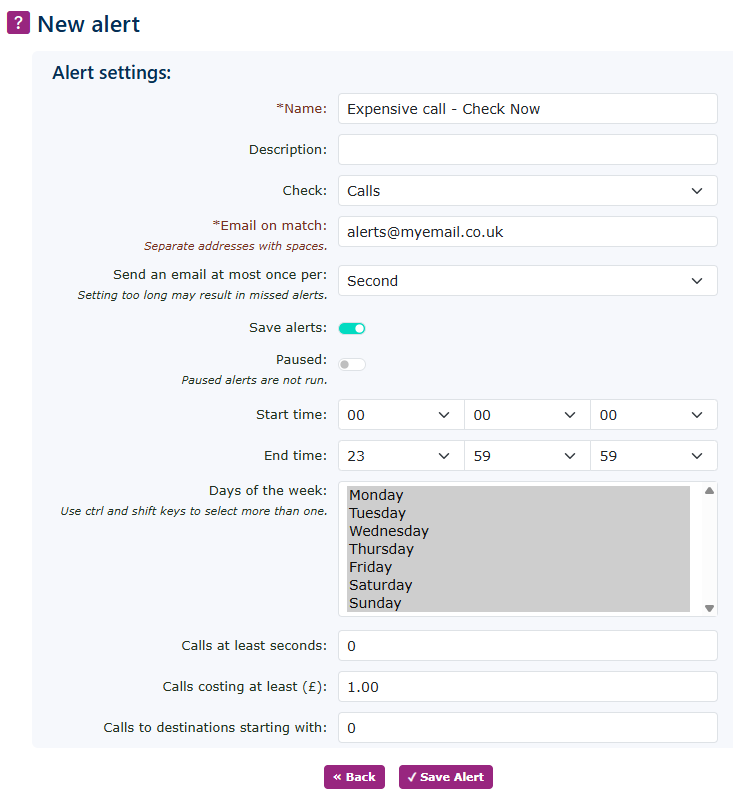
| First, go to Features - Alerts and click New. You will see a page like this. |
|
|
|
Give your alert a name. This example is ‘Expensive call—CHECK NOW.’ Then, populate the details, like the one.
This alert will check any call that starts with a leading number 0 and costs more than £1 at any time of the day. It will then send an email alert to the designated email address. The alerts will also be saved, allowing you to maintain a history within the system.
Don't forget to click on the Save Alert button. |

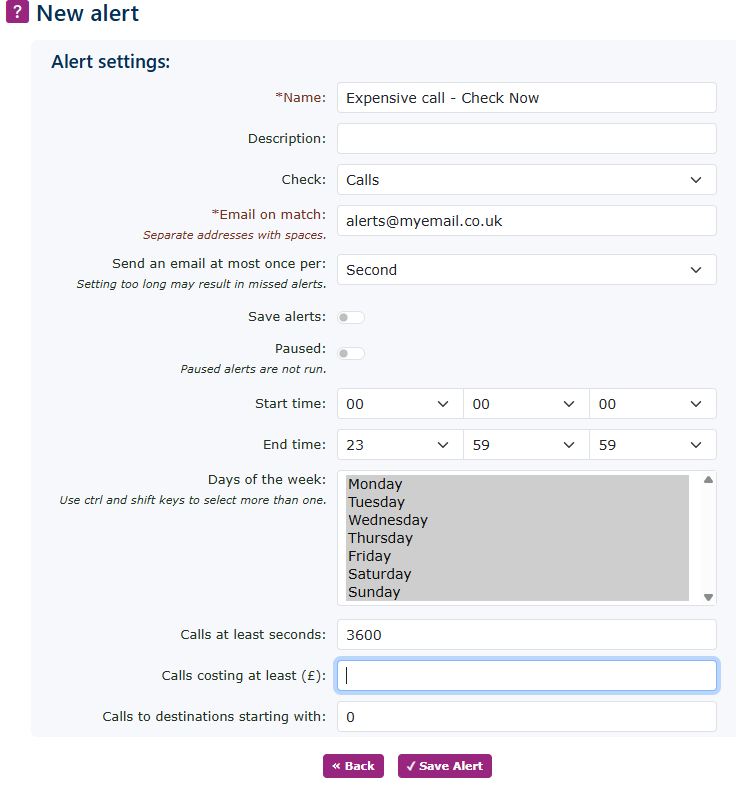
Long Call Alert
|
This alert could be very useful if you want to see who is on the phone for longer calls, such as those lasting over 60 minutes.
Please note the time is set in seconds, not minutes.
|
|
Alert Pause
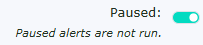
| You can pause an alert rather than remove it. This way, if you want to run different alerts for different campaigns, you can. |
|
|
|
When an alert is paused, you will see this indicated on the alert screen's main page. |

Other Alerts
There are many other alerts you can set, such as:
- Concurrent inbound and outbound calls
- Destinations Check (Daily)
- Exceeded the maximum number of channels allowed
- Numbers Check (Daily)
- Extensions (idle time or have been on Do Not Disturb)
- Extensions becoming unregistered
- Extensions becoming locked (out of use)
- People Locked (locked out of accessing the system)
- Queue Agent auto-logout (after missing several calls)
- Queue call existed (a call leaving the Queue before it was answered)