Handset Actions
| You can enable and disable handpiece actions using simple settings on the system setup page. Click on your picture avatar. |
|
|
|
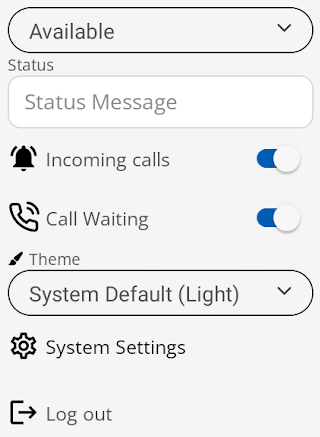
This will open the following settings dropdown menu.
|
| Select the System Settings option. |
|
|
|
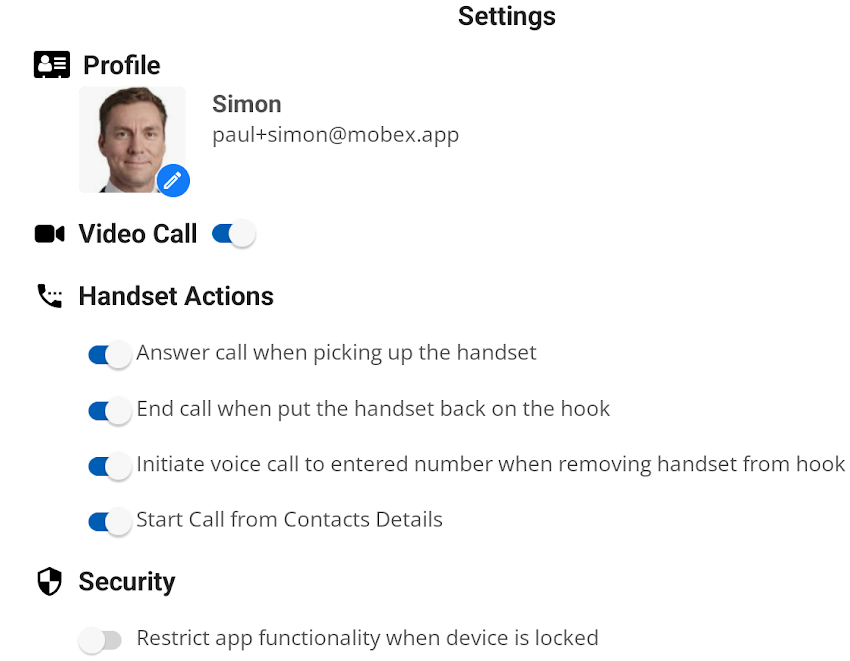
This will then open the whole system settings page. |
|
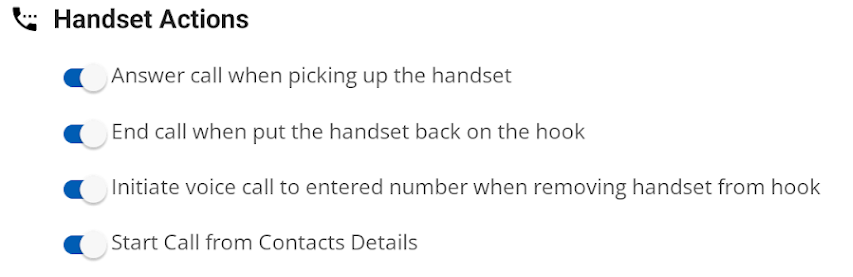
You will find the handset actions with the following choices.
|
|
|
If you pick up the handpiece while a voice or video call is ringing in, you will answer the inbound call. |
|
|
If you place the handpiece back on the base, the current call will end. |
|
|
If you have entered a number in the dial pad, you can pick up the handset to initiate the outbound call. |
|
|
If you have a contact open and press the dial key next to the selected number, it will initiate the outbound call. |
|