Group Hold
Group Hold is a great way to move calls between extensions without transferring the call.
| Group hold must first be enabled and configured by your provider in the telephone system portal. Once this is done. You can then utilise the group hold service. | |
|
|
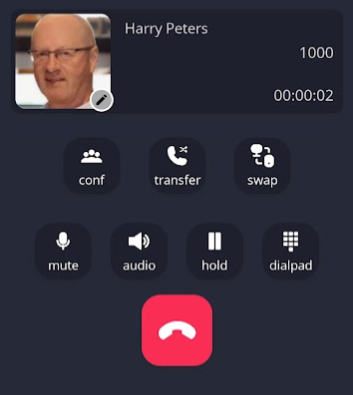
Once on a call, press the hold button. |
|
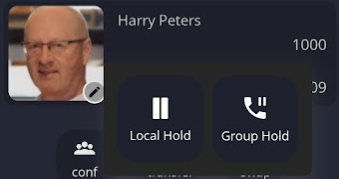
This will pop up two options for you to choose.
Local hold is placing the call on hold just for you.
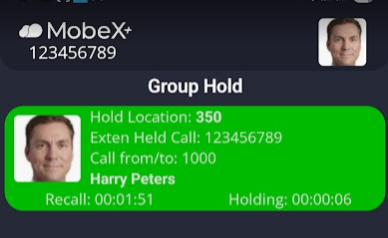
The 'Group Hold' places the call into the group hold position. Anyone in the same group, regardless of which MobeX device they are on, can now pick up the holding call. |
|
|
|
The call will remain here until someone picks up or the recall timer counts down to 0 seconds. At this point, the call will return to the caller who placed it on hold.
|
|
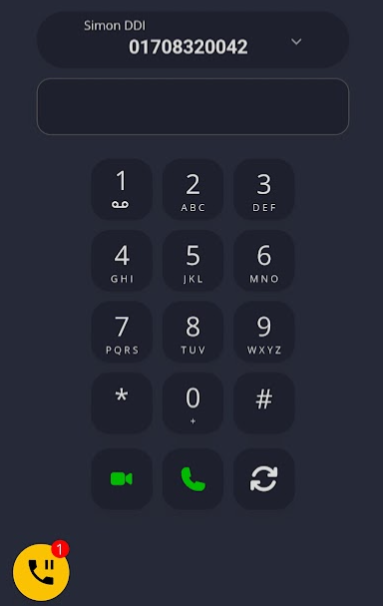
If you navigate away from the Group Holding screen, a small icon will appear on any other page you navigate to.
The icon here |
|
|
|
Group Hold icon will be available on the presence window. |
|
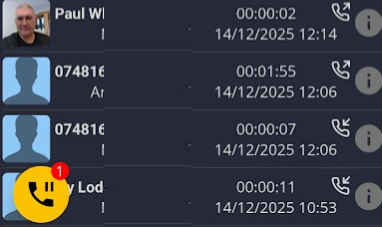
Also, available on the Call history.
Pressing the Group Hold icon returns you to the holding calls page.
Please note, this icon will only be available if there are any held calls in your group. |
|