Using the Reception answering services
|
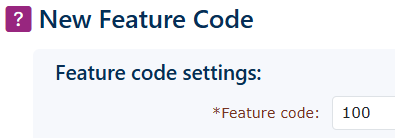
Create a feature code for each SOC account. This can be done by using the menu on the left-hand side. Go to Features, then Feature Codes and click Add in the bottom right-hand side.
|
|
|
|
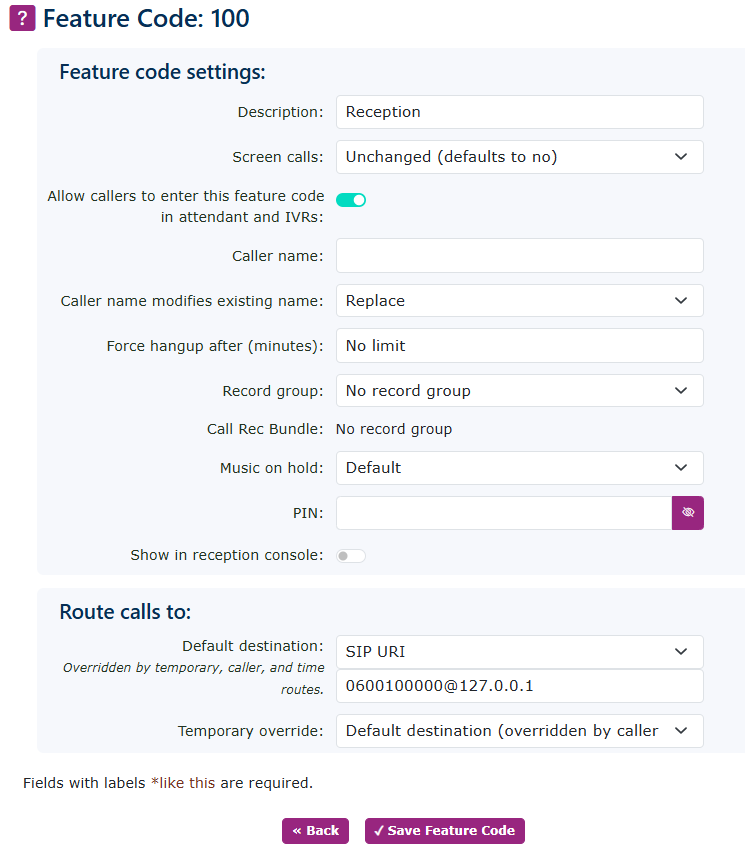
Give the Feature code a number; we recommend 100, as it can also serve as the call number if a tenant wants to call reception. Then add a description, again we recommend ‘Reception’ and finally the destination for this feature code. This needs to be something a little unusual. Set this to a SIP URI in the drop-down menu and enter the pilot number like below 0600100000@127.0.0.1
Please enter the pilot number assigned to this customer, and add @127.0.0.1 to ensure the call is routed to the correct destination. |