
Setting your profile picture (avatar)
|
To set your own profile picture (avatar) click on the image at the top right of the screen.
This image will be shown on everyone else's MobeX screen. |
|
|
|
|

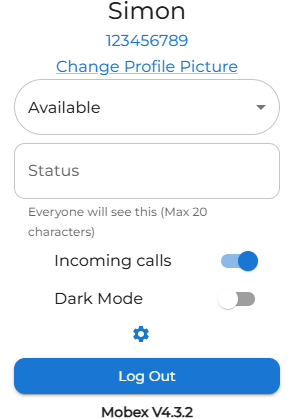


Upload your image here and follow the specifications. This will then set your image as your profile picture.