
Home Page
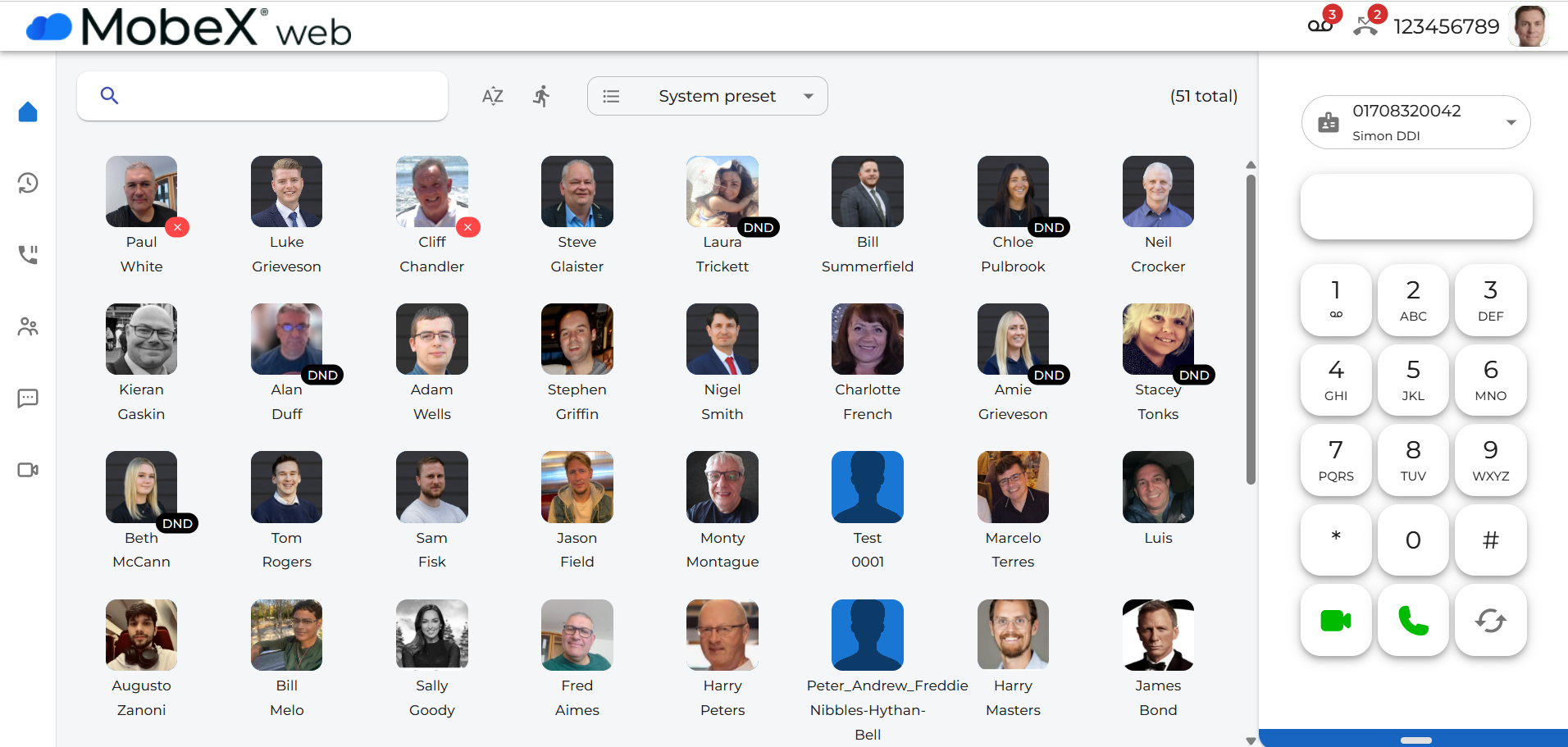
| The Home page gives a visual indication of your work colleagues. It allows you to see the availability of all other users on the system. Laura is in Do Not Disturb, and Paul is unavailable. |
|
|
|
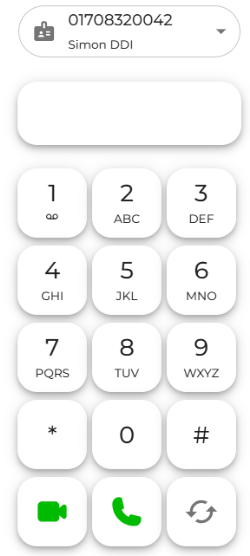
On the right-hand side is a dial pad for manually entering numbers to make a call or an answer key to receive a call. |
|
On the left-hand side, there is a menu to navigate around the rest of the
This is a handy way to switch between services you may want to use throughout the day.
|
|
|
|
There is an easy search option on the top left. Just enter the name of the person you are looking to contact. |
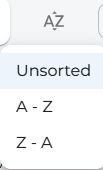
| You can sort the presence icons you can see into an A to Z order, a Z to A order or the default that has been set up for you on the telephony portal and leave in the unsorted state. |
|
|





There is a quick button key to switch to show just your speed dial options.
The System Preset option lets you create different groups of people, like a Sales or Accounts group.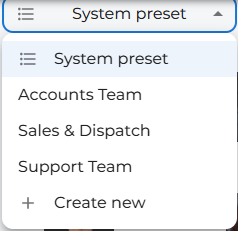

 Your picture avatar, which is visible to other users, clicking it will take you to your settings page.
 If you haven't uploaded your picture yet, it will look like this until you do.
In the top-right corner of the screen, you will see icons appear as and when you need to be notified of the current system/extension status. You may not see them all at once, depending on your current status.
 Notifies you of how many voicemail messages
 Missed calls notify
 Your extension number will appear here. (This one isn't yours; this is Simon's from MobeX
 )
You can also reduce the size of the home page into a smaller tab. As the size decreases, the page will show fewer avatars depending on the available space.


If you shrink it further, only the keypad, answer keys and number entry box will be visible.
And finally, reducing it to the smallest size will hide the keypad, leaving just the number entry box and answer keys.
