Payment via MobeX - Automatic Stop / Start Calling Recording
| You can automatically control the call recording system by enabling the payment option on the settings page. By enabling this, the system will automatically STOP any call recording when you enter the payment tab in MobeX, and will automatically enable it again once you leave the page. |
|
|
Please make sure that your extension |
|
|
|
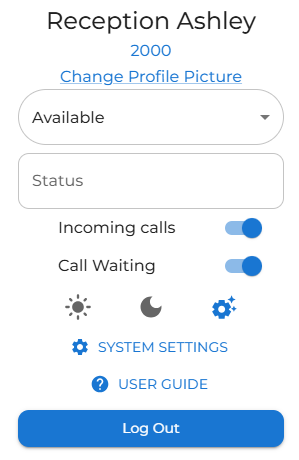
After clicking on your profile avatar, choose the system settings option.
|
|
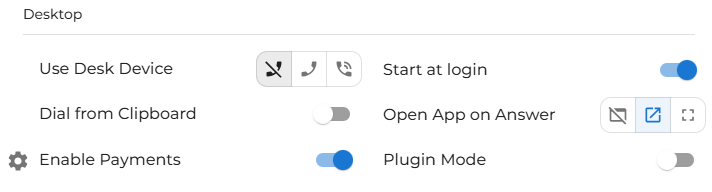
Under the desktop section, enable the payment option.
|
|
|
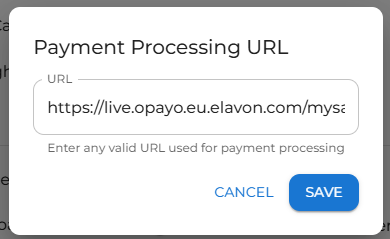
Click on the cog to enter the payment website you would normally use to make payments.
Don't forget that it needs to be in a HTTPS:// format. |
|
|
|
|