Chat icons
The tick icons - and what they mean
| After sending a message, you will see a single white tick to show the message has been sent. |
|
|
|
Press and hold on the message you have sent, and you will get the following pop-up window. Click on the details option to show more information about the message sent. |
|
In this case, is it just showing that the message has been acknowledged?
|
|
|
|
When you see two white ticks, this shows that the message |
|
Again, if you press and hold the message you sent, you will see the pop-up window. Click on the details option to show more information about the message sent. Now, with the two ticks, it shows the time and day the message was received. |
|
|
|
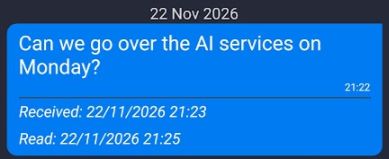
Finally, when you see two green ticks, it shows that the message has been read |
|
Finally, if you press and hold the message you sent, you will see the pop-up window. Click on the details option to show more information about the message sent. You can see the two green ticks when the message is read. |
|