After the system set-upsetup has been enabled on the portal.portal, Therenew settings will be new settings avaiableavailable within the MobeX UC client. These appear underon the settings page. Click your avatar to enteraccess the settings page. |

|
|

|
Then click on the system settings option |
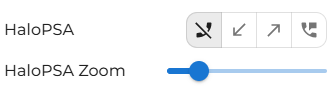
You will then see, underUnder the Features section, someyou will then see new options appear for the Halo SPA softwaresoftware. |

|
|

|
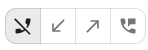
Hover over each of the tabstab to choose what to work with. Halo will suit youis best suited for telephone calls.
|
This option will not open the Halo page within the MobeX UC client client. |

|
|

|
This option will only open the Halo page for inbound calls. |
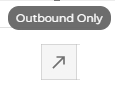
| This option will only open the Halo page for outbound calls. |

|
|

|
This option will open the Halo page for inbound & outbound calls. |
Due to the configuration settings in Halo and MobeX UC, you can adjust the zoom level of the Halo page to make it easier to read or to viewdisplay more information.information Zoomon willscreen. reduceThe thezoom sizelevel downcan be reduced to 75% andor enlarge it rightincreased up to 150%. |

|