For Extensions - Customer overview
This section, 'for Extensions', enables the AI Agents to understand what is going on within the telephone system. How and who to transfer calls to, and what to do if the person isn't avaiable.

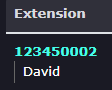
Extension: The extension shows the physical extension within the telephone system and the extension's default name. This is pulled from the description of that extension |
|
|
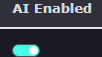
AI Enabled: This option allows the AI agents to see this extension. You may not want all extensions visible to the AI agents. Extensions such as meeting room, kitchen, or hallway phones may not need to be visible to agents. Disable this option to make it invisible to all agents. |
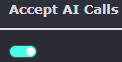
Accept AI calls: Allows the agent to see the extension and user as a known user. Sally and Mark in accounts are happy for calls to be transferred to them via the AI agent, but Paul, the Managing Director, does not wish to have calls put through to him. This helps the AI Receptionist determine what to do.
If someone calls and asks to speak to Paul, the Managing Director. The AI agent is aware of the extension for Paul but also knows that they should not have any calls put directly through to his extension. This is known as gatekeeper control. |
|
|
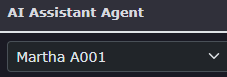
AI Assistant Agent:
If you have AI assistants enabled on the platform. Then you can choose if you want to use an AI Assistant. When enabling on an extension, it will remove the voicemail option within the extension. Any calls, whether put through via the agent, made directly to the extension, or placed from another user, will be answered by the AI Assistant instead of the extension's voicemail. |