
Chat Message Notifications
|
If you are on any screen and have unread messages, a number will appear next to the Chat tab to notify you. For example, “1” indicates one unread message. Within the chat view, a dot will appear on the far right of a conversation to show which chats cintain unread messages.
|
|
|
|
The number of unread messages can also be seen on the tab at the top of the browser page. |
|
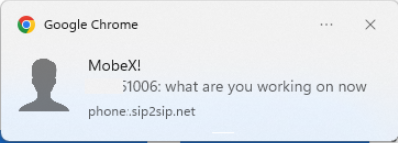
Depending on your browser settings, a pop-up notification may also appear when a new message is received. |
|


|
|
Tick Meanings Two green ticks - The message has been received and read.
One black tick - The message has been sent but not yet received.
Two black ticks - The message has been received but not yet read. |
