
Copying a message
Copying and pasting messages
Press on the message you wish to copy and press the copy option. |
|
|
The word copy will appear at the bottom of the page for a few seconds, then disappear. This is just to notify you that the message has been copied. The message is now stored in the phone's memory. |
Switch to any application that supports the copy and paste function on your mobile phone. This is an example of an SMS app. |
|
|


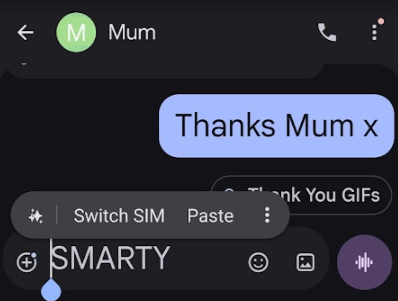

the
message, you can edit or send it via a different application.