Conference Calling

Conference calling (3-party)


ToWhilst in a call, you can create a conference call dialwith another party.


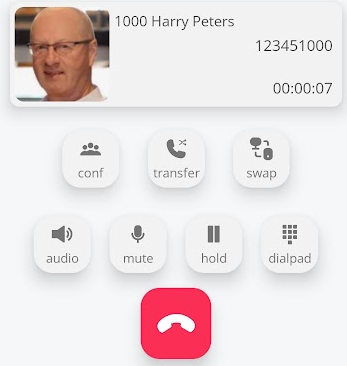
Press the conference key to place the first party you would like to join to conference .


Onceperson in the callconference.

press

 the

conference

image.png

icon

 8FZUkbHDdOAU__ivYtYX_3qe_3gk0c507dZOJfeMhV_xOJV_FlUxHIcLjNDRwkHnuQ6Q18ENZ6bnSDh4Zswa3JPgOegTy-0et9ntkcb3w7YOiWVKLlh7QR_5lsGYUj5i0ePibWMhBi0gfIwjsvWxnmE


q9DaUVqohEQ9WhUvU16R3ROi5kXMTyM0tFDfLdpW1S9HIXtDodcUcM0X4OAlidQtMITfaKJMxRWMRF0pnTmtb4eV10Ijcj_IIUtRPvm1IFCngfUuc-_JjZTnop0Ew41cuH4qsnUeM_65EsUye9vgSRE

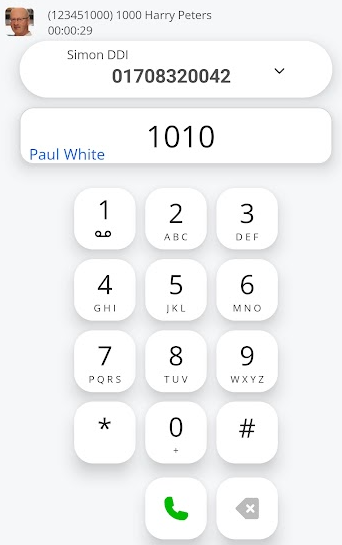
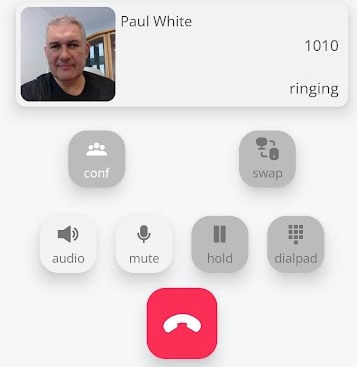
Then dial the second party you wish to join the conference.
UQHO6rluf5EQnEdQUVmMz8pKJgFvsaayRAevff7b8h37U3l6QsW_wNvQAJP5omfoF4j0O88MgvSGNq9RiyMCbl9VlY9O-DrafoolQyJCDBQs03Te0NUYdCXlrhRRuCOJSxG62l1Lm-DS26_q3Sebq0Eimage.png

Onceimage.png

connected andYou confirmedwill thatsee theythis wishperson call waiting for the rest of the party.

image.png

Enter the number of the third person to join the conferenceconference. you can Wait for this person to answer the call.

image.png

image.png

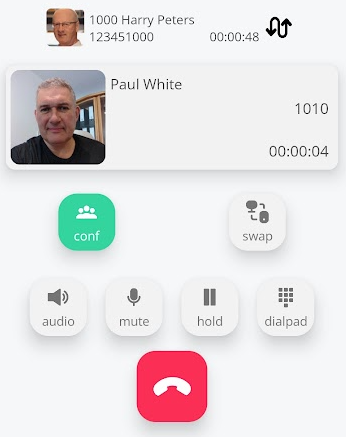
Then, press the conference buttonkey 5RF4mZN1R19BR1oIJ7mnQ3fMaVDOyd8jtkcBosIBgKzkEmZFL4rsrq2j6FO32gZjSewYMbvtCY5t7IGxZP2lQgXGXCpw1EarLo-qXUZes8AKvPyerNPDx40Vqxks3copPnA7ZjIUBYd8GrS9Fo-RdrAagain to initiate the conference call.


image.png


You can switch between the two calls before the conference starts by using the switch key.


image.png


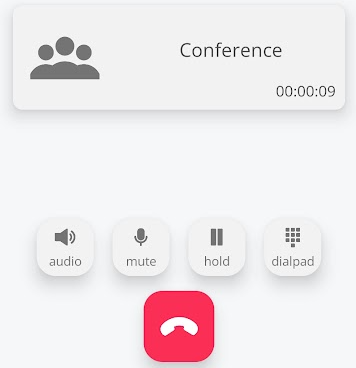
All parties will be in attendance, and you will view the conference timer counter.


IAX_NFyElbbrqFliACF-NjLDAI3QtNgI_JWyRzL2ncuucQUtdsYU5e1Za-7SOObp0tuxlveg9bQhAYfRKu_HBmMlK1yvB-O90AZyCXfLi3BLoluTOtTBBM8AaU1-L7H5Kmi3VEfd-HCcl6J_7R7Jz34

All parties are now in the conference.
kNlwJIp_jBuC4iKQD4UAT75lbV3LDRu01MD3EKZt520xWg7RFDl3K9Sb42dNYnh2HD2l2gv5Qpd__I6kK5450JOKQxFCmPESg2soMdPDWMZlLBdr3cfAhNyUY7-G6yyOpaxaLD4ezBEpkFxSjPLzjTUimage.png