Cloud Phonebook

Cloud Phonebook image.png

The cloud tabphonebook worksfunctions insimilarly to the same way as local contacts.contacts tab. The cloud phonebook tab is using contacts from the cloud telephone directory set-set up within the telephone system.


Please

get in touch with your service provider for more details if you don't have this information available on your device.
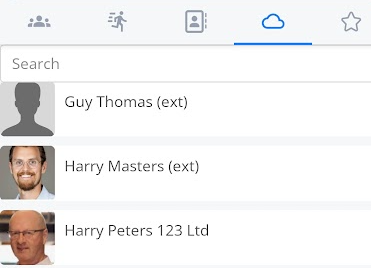

image.png

Select the

image.png

contact or useUsing the search bar at the top.top Onceof opened,the youscreen can presshelp thedrill phone icon to call the user's number. This will dial out todown the contact you haveare selected.looking for. qzpynVr9Ro7Akg-0b3t83NIzlFYeB10KgQNJmpJMwf31D2_djKRG6lwO0zo0MEgxClnJA8rrC8TT-hNZR_3jCZLsSb3zv1ZbBvUbHz4bGMGxgxSF4flELJdbTrAU7WktUCZstHu-xXy-zDyxtHjCG_4
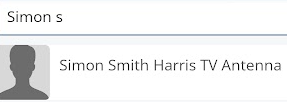
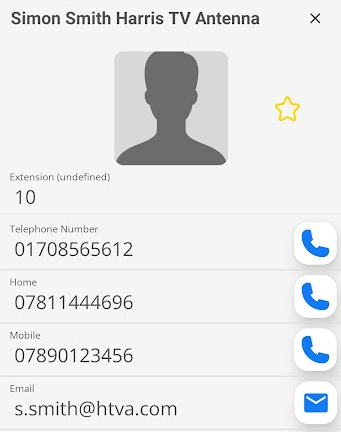
Click on the picture icon or the name to bring up the stored cloud phonebook details. n0SRoCb6rbtZ2fQmShZz5aUS_tkJPI2_OH1NxDoewevfebkX_r_zaUy0wFlv7fDoEgK6Eoxml9sGkaAU7tApOl-GaltHpsUqr2m-cxKvULQcvIhGzeCzSM5gU5FTgs0wJXuPuKrZqzB9p7BvXcZFvyk

image.png

image.png

KtEoMMz_Xyzh0Xzbrqf2rq3Z_f5KBU0jVQx7FZkcB_ScHYIME1q2e5QVMZ0AJ4AKDYWbtU8MuVd94wf8oQgSfxA-si3AWjwWIxDJgwpFfOrDeYIdNIG4RLnIPuCrqjUn56gd_MiIHSdKKpiJE5ms6BE
You can now contact the person by phone or email using the details below. By pressing the outline of the star, you can add the cloud phonebook entry to your favourites.


image.png

image.png


image.png

You will now have a solid star showing which of your contacts are in the favourites list.